 Imagine Parts
Describe a part. Get a CAD model you can print.
Write what the part is for and the sizes you know. Imagine Parts asks about anything it can't work out, shows you every dimension for approval, then builds a parametric model in real FreeCAD and checks that it will print.
From a few sentences to a parametric model
- Describe the part. Say what it does and what it must fit. Add photos, a sketch, an old 3D file or standard parts if you have them.
- Answer what it can't see. When a size is missing, you get a question instead of a guess. For values you don't care about, let the model choose.
- Approve the dimensions. Every size is listed with where it came from. Nothing is built until you approve them.
- Modeled in FreeCAD. A parametric model, checked after every step, then tested for printability and drawn with dimensions.
Design around real parts
Making a seat for a bearing, a mount for a servo or holes for M3 screws? Add the real part from a catalog of 16,000+ standard parts by step.parts. Its exact STEP file is saved with your project, and your model is built around it.
What you download
- STEP for other CAD tools, and the editable FreeCAD file.
- A 3MF with part colors for your slicer. 3MF keeps part names and colors, which STL can't.
- A dimensioned drawing with hole positions and diameters.
- A printability report on wall thickness, overhangs and supports, orientation and hole sizes, for FDM, resin or powder printers.
- Sized for your printer: add its build volume and the whole model is checked to fit. Your dimensions are never scaled down to make it fit.
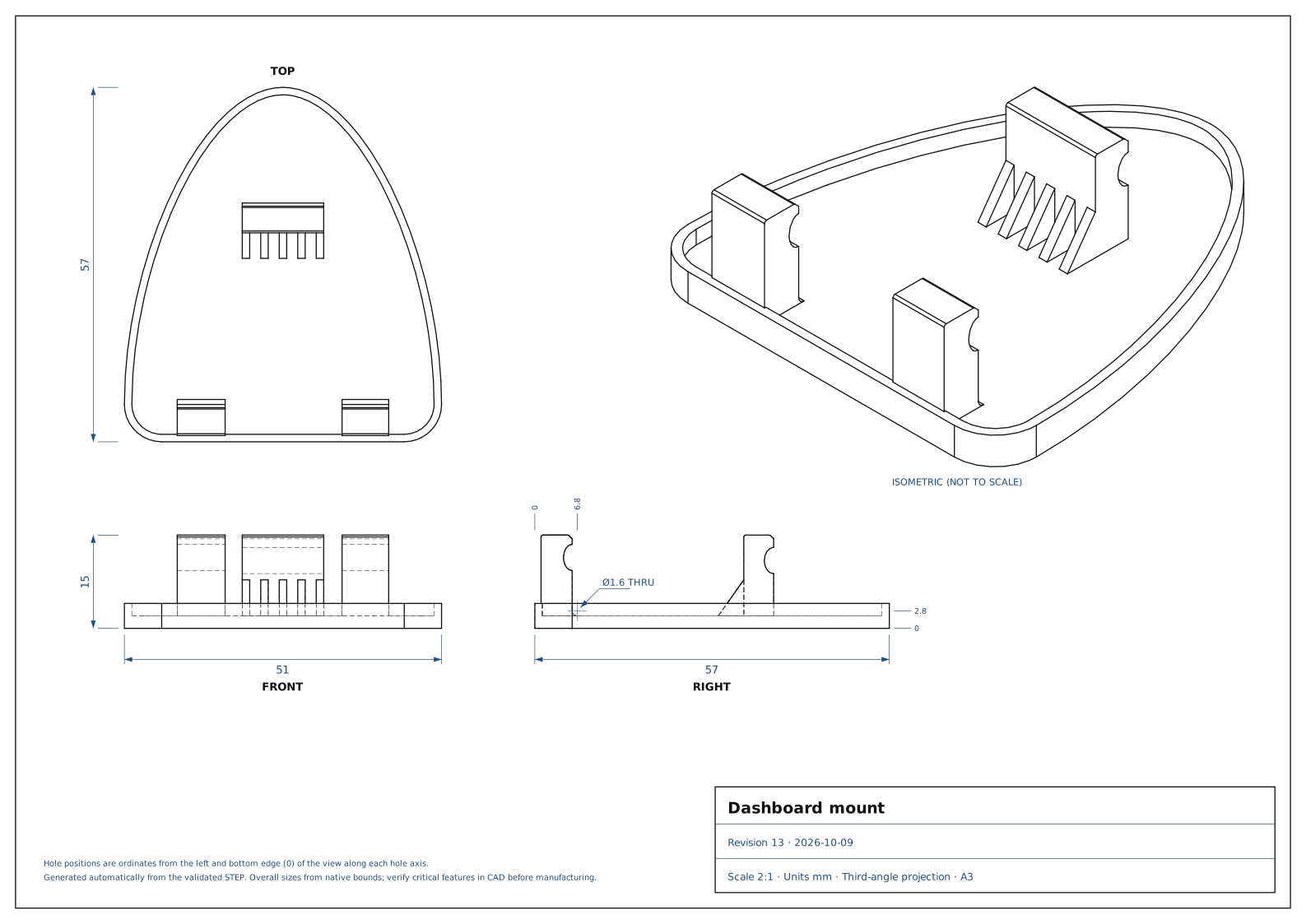
Change it later
Every change is a new revision, and earlier ones are kept. Describe the change in plain words, mark spots on the 3D model, or sketch over a view of it. To change a single size, edit the dimension and the FreeCAD part is rebuilt without AI or credits.
Geometry checks don't certify that a part fits or is strong enough. Check the model before you rely on it, especially where a failure could hurt someone or damage something.